Compare Xmas Newsletter Templates for Holiday Campaigns
Key Takeaways
- **Choose the campaign's main action first.** A gift guide needs room for product choices. A delivery reminder needs an unmistakable deadline.
- Keep your offer, deadline, and button labels as editable text rather than embedding the whole message in an image.
- Start with your existing sending tool's templates unless a custom branded design solves a specific production problem.
- Test the imported email through your sending platform. A browser preview doesn't establish how Outlook will render it.
Choose Xmas newsletter templates by campaign goal: a gift guide for discovery, a deadline notice for last orders, or a thank-you note for customers. Mailchimp offers responsive templates you can customize, but decoration alone won't fix a weak structure. Compare the layout and editing workflow before you commit to a festive design.
What should you compare before choosing a holiday template?
Judge Christmas email templates on campaign fit, brand fit, and production effort. A beautiful layout becomes expensive when you have to shorten approved copy, rebuild every section, or replace your usual sending workflow.
Campaign fit comes first. A product grid helps someone compare gifts, while a short, single-column message gives a delivery deadline more prominence. Decide what the reader should do before choosing how many sections the email needs.
For brand fit, check whether your logo remains readable and your usual colors still work. I’d keep your normal typography and add a restrained seasonal accent before replacing your whole identity with festive lettering.
Production effort includes everything after the design looks finished. Can you paste the actual campaign copy without squeezing it into tiny text? Can your sender add its unsubscribe footer? For an agency, can you keep each client's assets separate without repeatedly uploading the wrong logo?
Compare templates using your real copy. Placeholder headlines hide layout problems, especially when an approved offer includes exclusions or a long delivery condition.
Which Xmas newsletter templates fit your campaign?
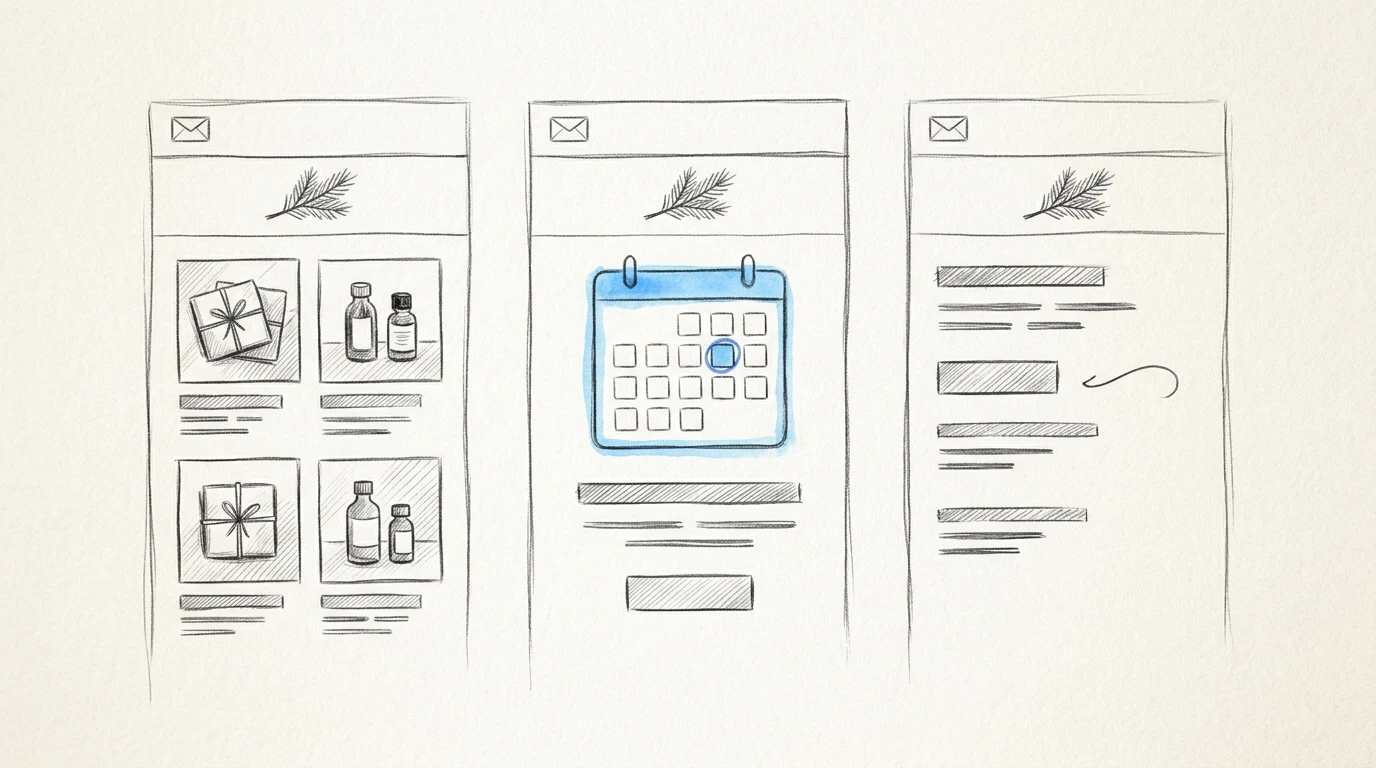
The strongest holiday layout gives the reader an obvious next action. Use this matrix to compare structures before browsing template libraries.
“Strong” means the structure naturally supports that goal. “Conditional” means it can work with adjustments. Copy the table and fill the final column for a template you're considering.
| Campaign requirement | Gift guide | Promotional offer | Delivery cutoff | Thank-you note | Year in review | Your option |
|---|---|---|---|---|---|---|
| Help readers choose a product | Strong | Conditional | Weak | Weak | Conditional | |
| Make a deadline prominent | Conditional | Strong | Strong | Weak | Weak | |
| Build a relationship without selling | Conditional | Weak | Weak | Strong | Strong | |
| Accommodate editorial copy | Weak | Weak | Weak | Conditional | Strong |
Gift guide: help someone choose
Choose a gift-guide layout when your audience needs help deciding what to buy. Give each product or category a short explanation of who it's for, followed by a descriptive link.
A skincare brand could organize sections around “For frequent travelers” and “For a quiet evening at home.” Those labels help someone make a decision. Skip this structure if you're promoting a single item or can't explain meaningful differences between the selections.
Promotional offer: make the terms easy to find
Choose an offer-led template when the discount or bundle is the reason to open the email. Put the offer near the top, followed by eligibility and a clear shopping action.
Keep exclusions close to the claim they qualify. Skip a multi-section newsletter layout if unrelated content would bury the promotion.
Delivery cutoff: give the deadline priority
Choose a deadline template when customers need to act before a confirmed ordering cutoff. Use a short headline, the applicable destination or delivery service, and a prominent shopping button.
Avoid a large decorative opening that pushes the deadline out of view. Skip urgency-led copy when you don't have a verified deadline or when the product is delivered digitally.
Thank-you note: leave room for a human message
Choose a letter-style layout when appreciation is the purpose. A short founder note with a recognizable signature suits a customer thank-you better than a product catalog.
Be specific about what you're thanking people for, such as their feedback on a product release. Skip the sales grid unless you're comfortable turning the message into a promotion.
Year in review: select what matters to the reader
Choose an editorial layout when you have meaningful developments to share. For a small software company, useful holiday newsletter ideas might include a customer-requested feature and a practical resource published during the year.
Leave out internal milestones that offer readers little value. If you already publish regularly, your weekly newsletter production structure can provide a familiar base, with seasonal changes limited to the introduction and closing.
Where should you build your holiday email?
Start inside your existing sending platform when its editor supports the structure you need. Choose a separate design tool when preserving approved copy or creating a more distinctive layout justifies an export step.
These are different production routes, rather than a ranking of festive artwork. The template libraries below provide customizable starting points, so don't assume every layout is Christmas-specific.
| Source | Starting point | Editing approach | Best-fit workflow |
|---|---|---|---|
| Mailchimp | Customizable responsive templates | Edit the selected layout and content | Build within an existing Mailchimp campaign workflow |
| Brevo | Responsive template gallery | Drag-and-drop, rich text, or HTML editing | Adapt a starter template in a Brevo account |
| Campaign Monitor | Responsive, customizable templates | Drag-and-drop editing | Rework a branded newsletter inside Campaign Monitor |
| Bardiah, our product | Design generated from campaign copy | Conversational refinement | Export HTML to your existing sending tool |
Mailchimp: keep an existing campaign workflow
Mailchimp's email template documentation describes customizable layouts with desktop and mobile previewing. If you're already sending there, Mailchimp newsletter templates are a practical starting point for a delivery reminder or promotional offer.
Choose this route when reducing handoffs matters more than creating a new design process. Skip switching to Mailchimp solely for seasonal decoration if your current sender already handles the layout you need.
Brevo: start with a responsive template gallery
Brevo makes its responsive template gallery and email editors available with a free account. Its editing options include drag-and-drop, rich text, and HTML.
Choose it when you're already using Brevo or considering it as your sender. A simple offer-led layout is a sensible starting point. Skip opening another platform account purely to obtain a festive header.
Campaign Monitor: adapt a familiar branded layout
Campaign Monitor's responsive email templates are customizable through its drag-and-drop editor. That makes it a reasonable route for adapting an existing newsletter into a year-end update.
Choose it when Campaign Monitor is already part of your production process. Skip moving platforms for a holiday campaign if a change to your current template would do the job.
Bardiah: design around approved campaign copy
Bardiah is our product, an AI email designer that preserves pasted copy word for word, stores brand assets and writing samples per project, and exports responsive HTML for Mailchimp, Klaviyo, or another sender.
Choose it when approved copy needs a custom layout or separate client projects need their own brand assets. Conversational refinement and design version history support revisions without starting over. Pick a sending platform's built-in editor instead if you want to design and send from the same place.
How do you turn the layout into a send-ready email?
Build the template with the final message before adding seasonal decoration. Email campaign templates often look balanced with sample text, then become awkward when a real offer needs a longer headline or an explanation of delivery restrictions.
For a delivery-cutoff campaign, you can adapt this copy:
Subject: Christmas delivery: order by [confirmed deadline]
Preheader: Delivery information for orders going to [destination].

Heading: Planning a Christmas gift?

For estimated Christmas delivery to [destination], place your
order by [date, time, and time zone] using [delivery service].

Button: Shop Christmas gifts

Delivery note:
[State any location exclusions or conditions that affect the estimate.]

Questions about an order?
Contact [support email or support link].

[Sender's business address]
[Sending platform's unsubscribe link]
Replace every placeholder and confirm the delivery wording with whoever manages fulfillment. Don't turn an estimated arrival into a guarantee.
Keep the deadline and button label as live text. If images don't load, readers should still understand the message and know where to go.
Review the exported layout with an HTML Email Previewer to catch obvious spacing or mobile-width problems, then import it into your sender and send test messages. Check Outlook and Gmail, including mobile viewing and dark mode. A browser preview is useful, but it doesn't reproduce every email client's rendering behavior.
Test the actual destination of each link after import. Confirm that the sending platform has inserted its working unsubscribe link and the correct business details. For US commercial email, the FTC's CAN-SPAM compliance guide explains the requirements for accurate subject lines, a valid postal address, and an opt-out method.
Frequently Asked Questions
When should I send a Christmas newsletter?
Send gift-discovery content while customers still have time to consider and order. Schedule delivery reminders around your confirmed fulfillment deadlines, and send a thank-you message when it won't compete with an urgent sales message.
Can I use a family Christmas newsletter template for a business?
Yes, if you adapt it into a readable customer update and have permission to use the design commercially. Replace family-style photo collages and lengthy personal updates with business news that matters to your readers.
Are free Christmas newsletter templates safe to use commercially?
Only when the template's license permits your intended use. Check the terms for the layout and any included artwork, since access to a template doesn't automatically grant unrestricted rights to every asset.
Can I send a Christmas newsletter through Gmail?
Yes, for a personal update to a small group. For a marketing campaign, use a sending tool that handles subscriptions and opt-outs rather than relying on a standard Gmail draft.
For a delivery-cutoff campaign, settle the deadline and approved wording before choosing the festive treatment. Paste that copy into Bardiah, refine the layout conversationally, and export the HTML to your sender. If you're unsure which production route fits, get in touch and tell us what you're sending and where it needs to go.